




Every result arrives as a proposal. Nothing is sent or changed until you approve.
Every agent ends in a proposal you can read: the source, quoted, and exactly what would change. Approve it, edit the values first, or reject it. Until you do, nothing in the programme moves and nothing is sent.
Progress Collection
Proposal
Try it. Press either button.
Switch them on per project. Each works on its own cadence and drafts into your inbox. None of them sends or changes anything on its own.
Look-aheadDrafts a question to each trade starting work in the next two weeks: what is in the way?
Progress CollectionDrafts a progress chase to each subcontractor whose work is due.
Progress CollectionTurns the replies into proposed updates, quoting each trade's own words.
Deadline MonitorFlags a date slipping into negative float. Delay & Forensic drafts the recovery options.
Weekly ReportDrafts the client report and flags stale or inconsistent updates before you share it.
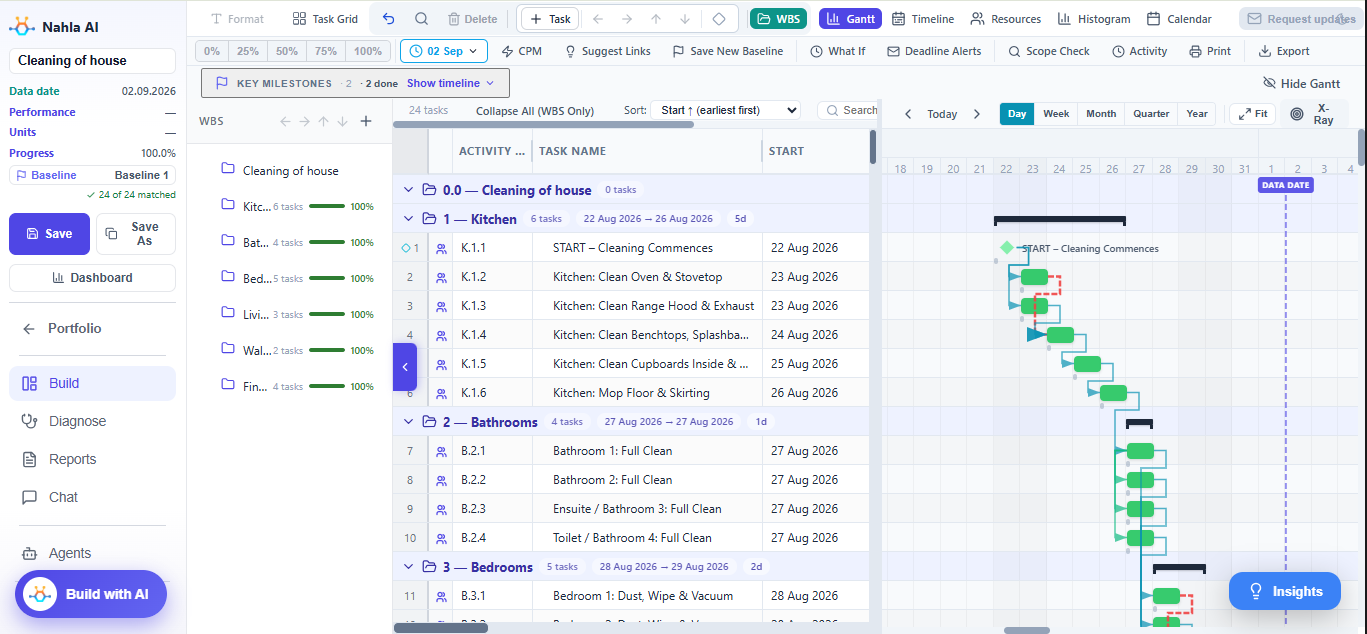
Keep your scheduling tool. Nahla works on its file and hands the result back.
| General AI chat | Scheduling software | Nahla | |
|---|---|---|---|
| Reads .XER / .MPP | Partly: .XER as raw text, not .MPP | Yes | Yes, both |
| Does the weekly legwork | No | No, the planner does | Five agents |
| Where the numbers come from | A language model's estimate | Built-in calculations | Governance rules |
| CPM, DCMA-14, Monte Carlo | No | CPM built in, the rest added on | All built in |
| Who changes the programme | — | You, by hand | You, by approving a proposal |
Language models are good at understanding the question and bad at arithmetic across thousands of activities. So the agents never work out a date themselves. They apply governance rules, such as the critical path method and DCMA-14, and that answer is the one you see.
When do we finish, and what is driving it?
What does this delay do to completion?
Is this schedule fit to report from?
Can the crews we have actually do this?
What changed since the last update?
Does the reported progress add up?
How far are we from the baseline?
What range of finish dates is realistic?
One page: traffic-light status, top risks, AI narrative.
Open report →Charts, milestones, S-curves and commentary.
Open report →Generated by Nahla from a sample schedule.
“Score this schedule and draft an email to my PM.”
“What changed on the critical path since the last update?”
“Turn this update into a status note.”
“Is handover at risk?”
The agents work only through a fixed list of tools. Enterprise customers can have their data hosted in their own country on request.
Aligned with the PMI AI Guide
No. You upload an exported .XER or .MPP. Nahla never writes to P6 or MS Project; results come back as P6- and MSP-ready files that you import when you choose to.
No. Keep your scheduling tool and your process. Nahla works on the file you already produce each update.
No. Every chase and every change is a proposal. Nothing is sent and nothing in the programme moves until someone on your team approves it.
It is hosted on AWS in Sydney, encrypted at rest and in transit, and never used to train AI models. Enterprise customers can have it hosted in their own country on request.
No. Dates, float and scores are calculated by governance rules (CPM, time impact, DCMA-14 and others). The agents apply the rules and report the answer.
There are Contractor and Enterprise plans. We quote after a demo on your own programme, so the price reflects how you will use it.
Bring a P6 or MSP file, or a one-line brief.
We look at your programme with you.
We set the workspace up on your own file.
Turn on the agents you want, per project.
 nahlaai